
If your website has hidden problems, Google may not rank it well, even if your content is good. Small issues like broken links, slow pages, wrong redirects or missing tags can quietly hurt your traffic. Many people do not notice these problems until their visitors start dropping.
That’s why SEO audit tools are so useful. These tools scan your whole website and show you what’s wrong in a clear way. Instead of checking pages one by one, you can find problems across hundreds or even thousands of pages in minutes. This saves time and helps you fix the most important issues first.
But every tool is not the same. Some tools are best for deep technical checks, some help improve pages and some help you apply changes faster. If you pick the right tool, you can fix problems quicker and improve your site step by step.
In this list, you will see 10 trusted tools that many SEO teams and site owners use. Each one can help you find website problems, clean them up and keep your site healthy so it can rank better.
What Are AI SEO Audit Tools?
What Is an AI SEO Audit?
An AI SEO audit is a website checkup done with smart SEO tools. These tools scan your site and find problems that can stop your pages from ranking on Google. It saves time because the tool can check hundreds or even thousands of pages much faster than a person.
The tool crawls your website like Google’s bot. It looks for things like broken links, missing page titles, duplicate descriptions, slow pages and redirect problems. It also finds pages that Google may not be able to reach or index.
Most tools also help you by showing what to fix first. For example, if important pages are blocked from Google, the tool will highlight that as a top issue. This makes it easier to focus on the fixes that can make the biggest difference.
An AI SEO audit is useful for website owners, SEO people and marketing teams who want a clear list of problems and quick steps to improve their site.
How AI SEO Audit Tools Work
These tools work by scanning your website like Google does. The tool visits your pages one by one and checks what is on each page. It collects details like page links, titles, descriptions, headings and how the pages connect to each other.
After the scan, the tool looks for problems that can hurt your rankings. For example, it can find broken links, missing titles, repeated descriptions, slow pages and pages that Google may not be able to reach or index. It then puts everything into a report so you can clearly see what is wrong.
Most tools also tell you what to fix first. Big problems like blocked pages or lots of errors are usually shown at the top. This helps you focus on the fixes that can improve your site faster.
Because the scan is automatic, these tools can check large websites in less time, which makes audits quicker and easier for website owners and SEO teams.
Here is the Updated list of the 10 AI Tools for Technical SEO Audits & Site Optimization
- Screaming Frog SEO Spider
- Sitebulb
- Lumar (formerly Deepcrawl)
- Semrush
- Ahrefs
- SE Ranking
- Surfer SEO
- Alli AI
- Clearscope
- Search Atlas (OTTO SEO)
Top 3 Technical Audit Crawlers
1. Screaming Frog SEO Spider
Launched: 2011
Website: www.screamingfrog.co.uk
CEO / Founder: Dan Sharp
Language: English
Country: United Kingdom
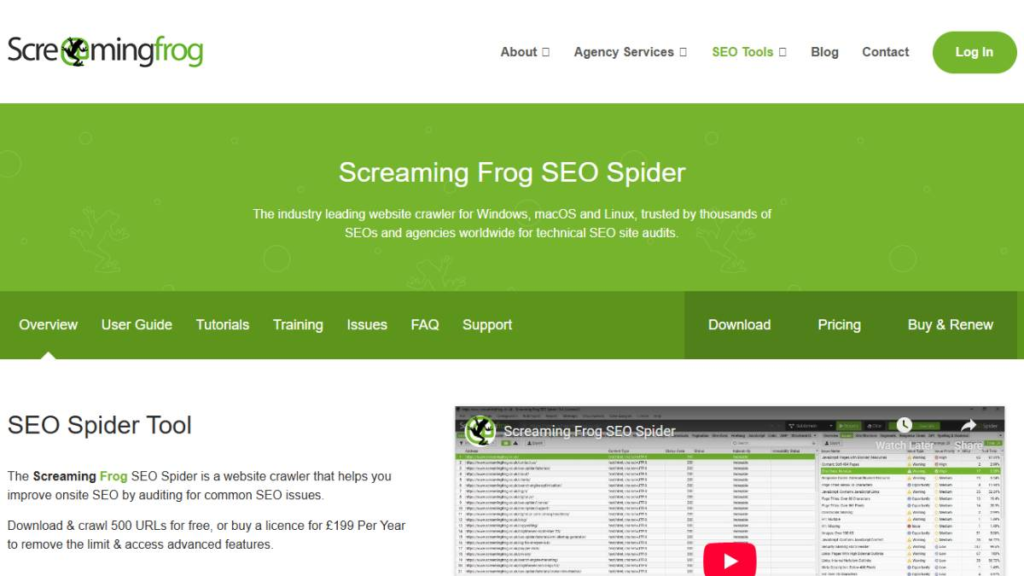
Screaming Frog is a computer program that crawls your website like Google does. It visits your pages and shows problems like broken links, missing titles, duplicate meta tags and wrong canonicals. It also helps you spot redirects that are too long or messy. You can filter the results and export them to share with your developer. It is best for people who like detailed reports and want full control during an audit.
Why it is great for technical SEO
- It checks your site in deep detail and lets you filter everything.
- It’s perfect when you need clean exports for fixing issues fast.
Best for
- Technical SEOs who want full control and detailed crawl data.
Key features
- Finds broken links, redirect chains, and canonical problems
- Can crawl JavaScript pages on many sites
- Exports reports for dev tickets and fixes
Common audit wins
- Fix broken pages, redirect chains, duplicate titles/meta, canonical issues, 404/5xx errors and pagination problems
Pros
- Very powerful and flexible for audits
Cons
- You need SEO knowledge to understand the data
2. Sitebulb
Launched: 2017
Website: www.sitebulb.com
CEO / Founder: Patrick Hathaway
Language: English
Country: United Kingdom
Sitebulb crawls your website and explains SEO problems in a simple way. It does not just list issues, it tells you why they matter and what to fix first. It also uses visual charts and maps, so it is easier to understand the site structure. This makes it great for sharing audits with clients or team members. It is best for SEOs who want clear guidance, not just raw data.
Why it is great for technical SEO
- It shows issues with clear explanations and priorities.
- Visual reports make it easy to understand and present.
Best for
- SEOs and agencies who want clear audit reports and easy priorities.
Key features
- Visual site maps and structure reports
- Clear issue explanations with fix suggestions
- Easy-to-share audit style reporting
Common audit wins
- Find index blocks, thin pages, internal link gaps, duplicate metadata and crawl depth issues
Pros
- Very easy to read and explain to others
Cons
- Power users may still want extra exports for deeper custom work
3. Lumar (formerly Deepcrawl)
Launched: 2010
Website: www.lumar.io
CEO / Founder: John Myers
Language: English
Country: United Kingdom

Lumar is a cloud tool that crawls big websites and keeps checking them over time. It helps you catch technical problems that can stop pages from being crawled or indexed. It also helps you track what changed after a new site update or deployment. This is useful when a site has many pages and problems can appear again and again. It’s best for large businesses, big online stores and publishers.
Why it’s great for technical SEO
- Built for very large websites and regular checks.
- Helps teams track issues over time, not just once.
Best for
- Enterprise teams handling huge sites with lots of URLs.
Key features
- Large-scale cloud crawling
- Ongoing monitoring and issue tracking
- History view to compare changes over time
Common audit wins
- Catch site-wide template problems, reduce crawl waste and spot indexing issues after releases
Pros
- Great for big sites that need nonstop monitoring
Cons
- Can be too expensive and too complex for small sites
Top 3 All-in-One AI SEO Platforms
4. Semrush
Launched: 2008
Website: www.semrush.com
CEO / Founder: Oleg Shchegolev
Language: English
Country: United States
Semrush is an all-in-one SEO tool that includes a strong Site Audit feature. It scans your website and shows technical problems like broken links, missing tags, slow pages and crawl issues. It also gives you a site health score and a simple to do list for fixes. Since it also has keyword and competitor tools, many teams use it for both audits and ongoing SEO work. It is best for agencies and marketing teams who want everything in one place.
Why it is great for technical SEO
- Gives clear audit reports with a health score and fix list.
- Combines audits with keyword tracking and competitor research.
Best for
- Agencies and teams that want one platform for audits + SEO work.
Key features
- Site health score with issue categories
- Technical audit checks for common site problems
- Reporting tools for teams and clients
Common audit wins
- Fix crawl errors, broken links, missing metadata, duplicate content and performance issues
Pros
- One dashboard for audits, keywords and reports
Cons
- Not as deep as dedicated crawlers for very large technical audits
5. Ahrefs
Launched: 2011
Website: www.ahrefs.com
CEO / Founder: Dmitry Gerasimenko
Language: English
Country: Singapore

Ahrefs is an SEO tool that is best known for backlinks, but it also has a strong Site Audit feature. It crawls your website and shows technical problems like broken pages, redirect issues, missing tags and pages that are hard to crawl. It also helps you find weak pages by looking at links, keywords and competitor sites. This is useful when you want to fix technical issues and also grow rankings with better links and content. It is great for SEO teams, agencies and site owners who want both technical checks and competitor research in one tool.
Why it is great for technical SEO
- It crawls your site and shows clear technical problems to fix.
- It also connects technical work with backlinks and competitor data.
Best for
- SEOs who want strong backlink research plus solid technical audits.
Key features
- Site Audit crawler for technical checks
- Backlink research and link monitoring
- Competitor research and keyword tools
Common audit wins
- Fix broken links, redirects, missing titles/meta, crawl depth problems and pages blocked by robots rules
Pros
- Excellent for backlinks and competitor research
- Good audit reports for most websites
Cons
- Some technical audit tasks still need a dedicated crawler for deeper control
6. SE Ranking
Launched: 2013
Website: www.seranking.com
CEO / Founder: Ilya Gurlik
Language: English
Country: United States
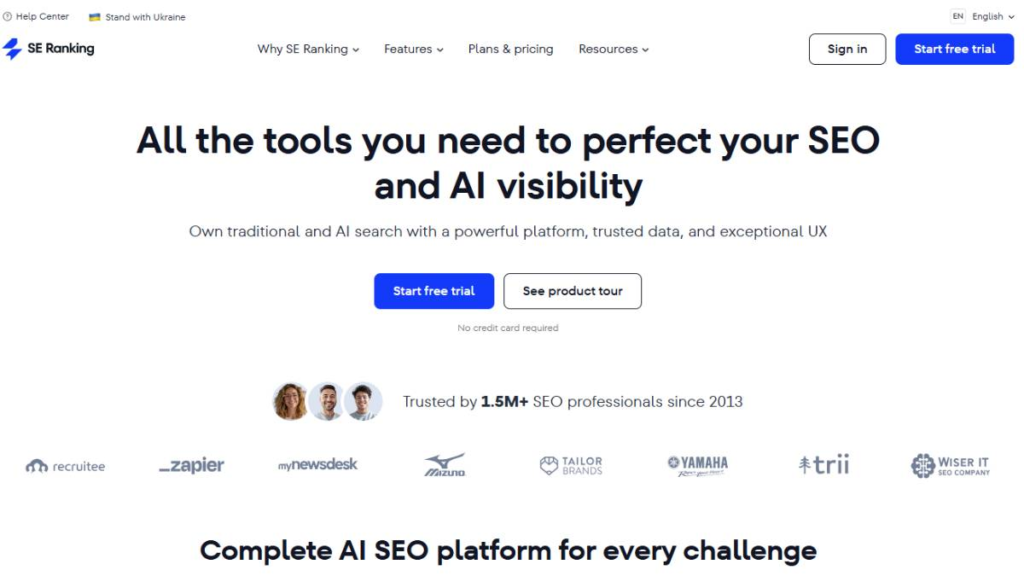
SE Ranking is a simple SEO platform that helps you run site audits, track rankings, and monitor your SEO work. Its audit tool scans your website and finds common technical issues like broken pages, missing tags and redirect problems. It also shows reports in an easy way, so teams can follow and fix issues step by step. This is helpful if you want one tool for audits and daily SEO tracking without paying a very high price. It is best for small businesses, freelancers and agencies that want solid results on a budget
Why it is great for technical SEO
- Easy site audits with simple reports and clear steps.
- Good mix of auditing, tracking and reporting in one place.
Best for
- Freelancers and small teams who want an affordable all-in-one SEO tool.
Key features
- Website audit with issue lists and priorities
- Rank tracking for keywords
- Client-style reports and project tracking
Common audit wins
- Fix broken links, missing metadata, duplicate titles, redirect loops and basic speed or structure issues
Pros
- Good value for money
- Easy to use for daily SEO work
Cons
- Not built for very large enterprise crawling like Lumar
Top 4 Optimization & Automation Tools
7. Surfer SEO
Launched: 2017
Website: www.surferseo.com
CEO / Founder: Slawek Czajkowski
Language: English
Country: Poland
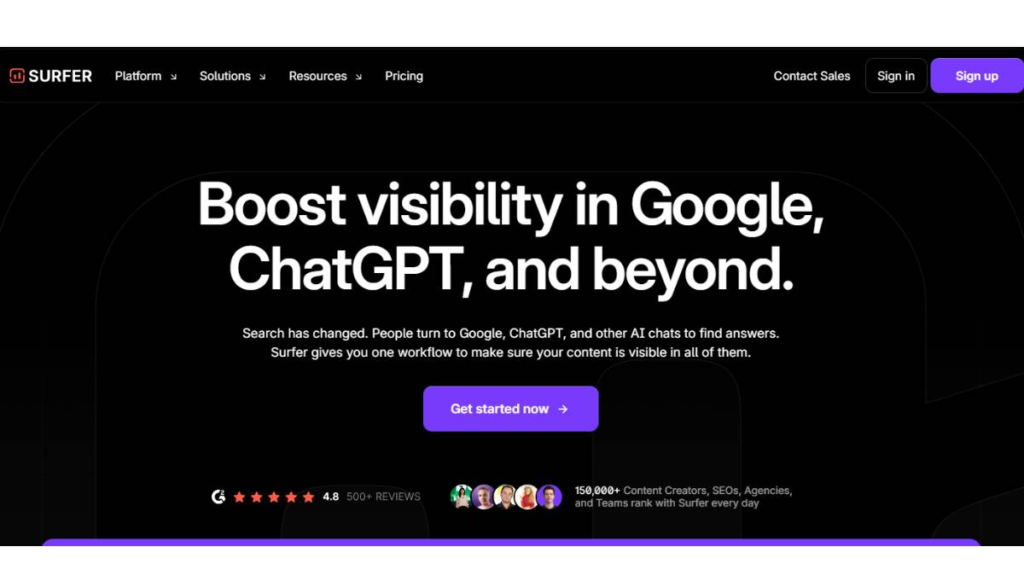
Surfer SEO helps you improve pages by checking what top-ranking pages are doing. It gives you a content score and shows what topics, headings and terms you should add to match search intent. It does not crawl your whole website like Screaming Frog, but it is very useful after your audit, when you want to improve important pages. It helps you rewrite and update pages so they can compete better in Google. It’s best for SEOs, writers and content teams who want clear on-page guidance.
Why it is great for technical SEO
- It helps you fix on-page SEO after you solve technical crawl issues.
- Great for improving important pages so they rank better.
Best for
- Content teams and SEOs who want strong on-page improvements for target pages.
Key features
- Content score with clear improvement steps
- Suggestions for headings and terms to include
- Content briefs for writing and updates
Common audit wins
- Improve thin pages, strengthen topic coverage and update pages that are stuck on page 2 or 3
Pros
- Very clear on-page guidance
- Helpful for content updates and refreshes
Cons
- Not a full technical crawler for site-wide audits
8. Alli AI
Launched: 2020
Website: www.alliai.com
CEO / Founder: Kyle Duck
Language: English
Country: United States
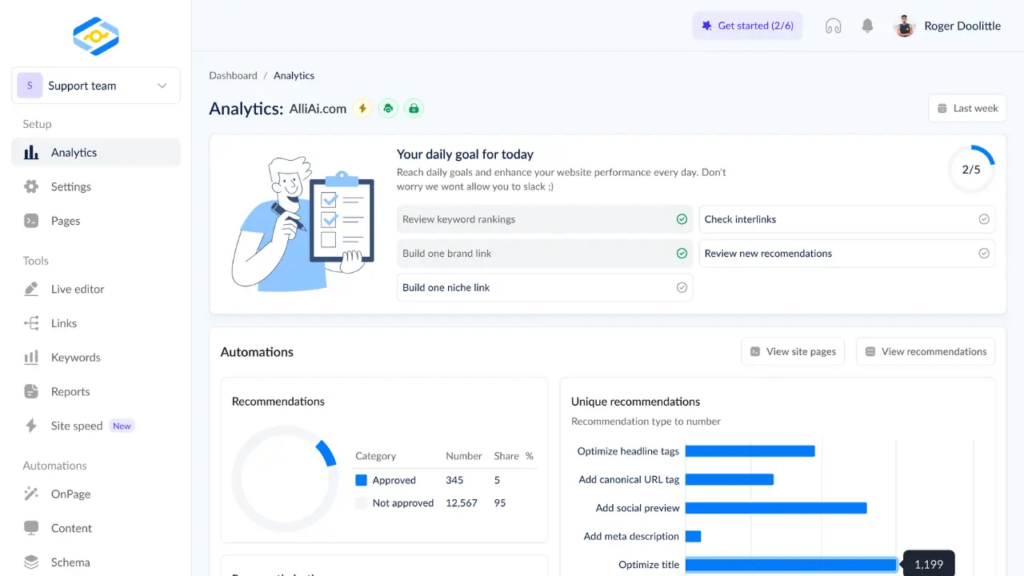
Alli AI is made to help you apply SEO changes faster across many pages. It can suggest on-page improvements and help you roll out updates without waiting on long developer timelines. This is useful when you have a big site and small fixes need to be done on hundreds of pages. You still need to review changes carefully, but it can save a lot of time. It is best for SEO teams and site owners who want faster on-page updates at scale.
Why it’s great for technical SEO
- Helps speed up fixes on large sites where manual work is slow.
- Useful for rolling out repeated on-page changes across many pages.
Best for
- Teams that need to push on-page SEO updates fast, across many URLs.
Key features
- Bulk on-page optimization workflows
- Change rollout tools for many pages
- SEO testing and update controls
Common audit wins
- Quickly improve titles, metas, internal links and common on-page issues across many pages
Pros
- Saves time when you need large-scale updates
Cons
- Must be reviewed carefully to avoid wrong changes
9. Clearscope
Launched: 2017
Website: www.clearscope.io
CEO / Founder: Bernard Huang
Language: English
Country: United States
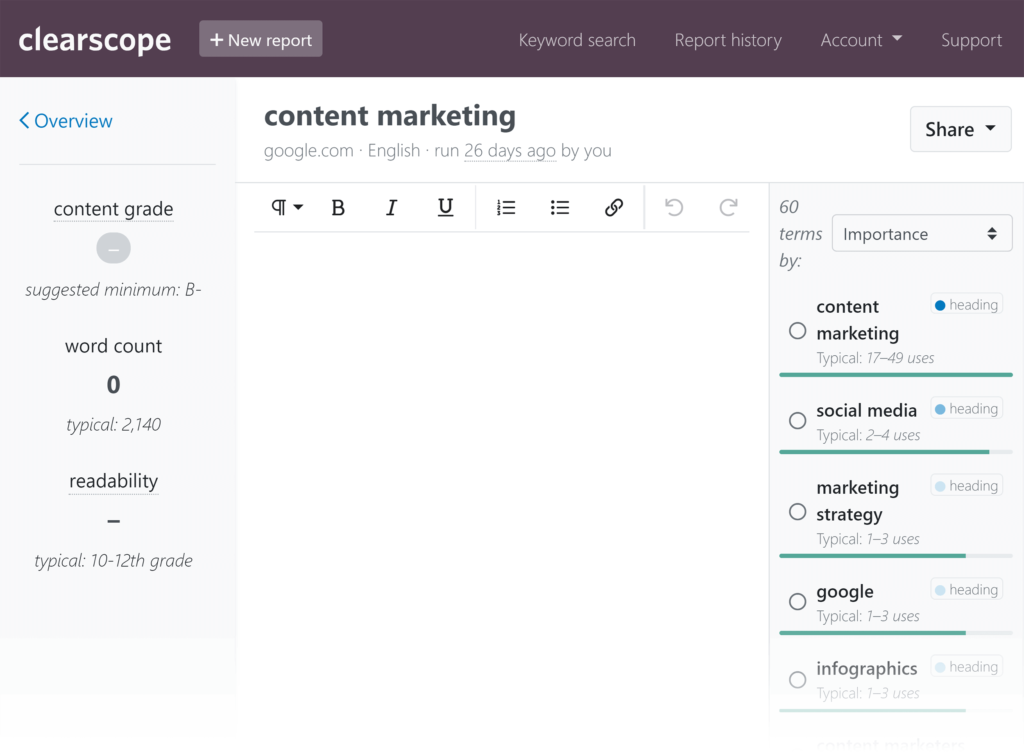
Clearscope helps you improve content so it covers a topic better and matches what people search for. It gives you a content grade and shows important terms and subtopics to include. This helps when a page is ranking but not reaching the top spots, because it may be missing key information. Clearscope is not a technical crawler, but it supports site optimization by making content stronger. It is best for content teams, editors and SEOs who update blog posts and landing pages.
Why it’s great for technical SEO
- Helps improve content quality after technical issues are fixed.
- Useful for upgrading pages that need better topic coverage.
Best for
- Writers and SEO teams focused on content refresh and on-page improvements.
Key features
- Content grading and topic coverage suggestions
- Simple content briefs for writers
- Helps improve clarity and completeness
Common audit wins
- Improve thin content, add missing sections and update old posts to compete again
Pros
- Clear guidance for better content
Cons
- Not a tool for crawling or finding technical site errors
10. Search Atlas (OTTO SEO)
Launched: 2020
Website: www.searchatlas.com
CEO / Founder: Manick Bhan
Language: English
Country: United States
Search Atlas is an SEO platform that includes OTTO SEO, which focuses on faster website improvements. It helps you find SEO issues and gives clear tasks to improve your site step by step. It is useful for teams that want a smoother workflow, where finding problems and fixing them feels more organized. It can support both technical and on-page work depending on how you use it. It is best for agencies and teams that want a process-driven SEO tool for ongoing site improvements.
Why it’s great for technical SEO
- Helps organize SEO tasks and improvements in one workflow.
- Useful for ongoing site optimization, not just one audit.
Best for
- Teams that want an organized SEO system for continuous improvements.
Key features
- SEO workflows and task-based recommendations
- Tools for audits, content, and SEO planning
- OTTO SEO feature set focused on faster execution
Common audit wins
- Improve on-page basics, fix repeated site issues, and keep SEO work consistent over time
Pros
- Good for ongoing SEO operations and workflow
Cons
- Some teams may still prefer specialized crawlers for very deep audits
How to Choose the Best AI SEO Audit Tool for Your Website
Picking the right SEO audit tool depends on your website size and what you want to fix. A good tool should scan your site, find problems that hurt Google rankings, and tell you what to do next. Some tools focus on deep technical checks, while others also help with content and links. The best choice is the one that matches your site and your daily workflow.
1) Check Your Website Size
Start by thinking about how big your website is.
- If you have a small site (like 50 to 500 pages), most audit tools will work fine.
- If you have a medium site (500 to 10,000 pages), you need stronger crawling and better reporting.
- If you have a large site (10,000+ pages), you need a tool that can crawl a lot of pages and do it regularly.
2) Make Sure It Finds Technical Problems
Your tool should catch common technical issues like:
- Broken links (pages that do not open)
- Redirect chains (too many jumps)
- Missing titles and meta descriptions
- Duplicate pages or duplicate tags
- Canonical problems (wrong main page signals)
- Pages blocked by robots.txt or “noindex”
- Slow pages and mobile issues
If a tool misses these, it will not help much for technical SEO.
3) Choose a Tool That Explains Fixes Clearly
Some tools only show problems. Better tools also explain:
- Why the issue is bad
- Which pages are affected
- What to fix first
- How to fix it (simple steps)
This saves time, especially when you are sharing tasks with a developer or content team.
4) Look for Regular Checks and Alerts
Websites change all the time. New pages get added, old pages break and updates can create new errors.
A helpful tool can:
- Run audits on a schedule
- Send alerts when new issues show up
- Help you check your site after a redesign or deployment
This keeps your site clean over time.
5) Make Sure It Works With Your Other Tools
It is easier when your audit tool connects with things you already use, like:
- Google Search Console
- Google Analytics
- Keyword tracking
- Backlink tools
When everything is connected, you can understand problems faster.
6) Pick the Right Level for Your Skills
Some tools are made for advanced SEOs and show lots of data. Other tools are made for beginners and show simple steps.
- If you like deep data and full control, pick a strong crawler tool.
- If you want simple reports and clear priorities, pick a tool with guided audits.
7) Match the Tool With Your Budget
Audit tools come in different prices:
- Some have free versions for small checks
- Many are monthly subscriptions
- Big enterprise tools cost more but handle huge websites
Choose what fits your needs, not just what looks popular.
How to Select the Best SEO Tools for Marketers
Picking the right SEO tool is easier when you first know what you want to improve. Some tools are best for finding website problems, some help with keywords, and others help you improve your content. The best tool for you depends on your goals, your budget, and how big your website is.
1) Decide your main goal
Ask yourself: what do I need help with most?
- Finding website errors (broken links, redirects, missing tags)
- Finding good keywords to target
- Checking what competitors are doing
- Improving old pages and blog posts
- Tracking rankings every week or month
When you know your goal, choosing a tool becomes much simpler.
2) Make sure it has the features you actually need
Don’t pay for extra things you will never use. Look for features that match your work, like:
- Site audit (checks your website health)
- Keyword research
- Rank tracking (shows your position in Google)
- Backlink checker (who links to you)
- Content improvement tips
3) Check if the data looks real and useful
A tool is only helpful if its data makes sense.
Before you buy, test it:
- Search a few keywords you already know
- Check if the numbers look reasonable
- Compare with Google Search Console if you can
If the tool shows strange data, it can lead you to wrong decisions.
4) Choose a tool that is easy to understand
Some tools look confusing and full of charts. A good tool should:
- Show important info clearly
- Give simple reports you can share
- Help you find problems fast
If it feels too hard, you will stop using it.
5) Pick something that fits your budget
SEO tools can be cheap or very expensive. A smart way to choose:
- Start with a free trial
- Compare plans (monthly vs yearly)
- Pay only for what you need today
You can always upgrade later.
6) Check if it works with your other tools
It helps a lot if your SEO tool connects with:
- Google Search Console
- Google Analytics
- WordPress or Shopify (if you use them)
This saves time because you don’t have to copy data manually.
7) Make sure it can grow with you
If your website grows, you will have more pages, more keywords, and more reports. Choose a tool that can handle:
- Bigger websites
- More projects
- Team access (if you work with others)
Why These Tools Matter for Technical SEO Audits
A technical SEO audit is like a full checkup for your website. It helps you find problems that can stop Google from reading your pages properly. These problems can be broken links, slow pages, wrong redirects, missing tags, or pages that are blocked from search. Tools make this job much faster and easier because they scan your whole site and show issues in one place.
1) They save time
Many websites have hundreds or thousands of pages. Checking each page by hand can take days. These tools can scan your site in minutes and give you a clear report. This means you spend more time fixing issues and less time searching for them.
2) They find hidden problems
Some issues are hard to notice. For example, a page might be blocked by robots.txt, or a redirect might send users to the wrong page. Crawl tools can find these problems quickly. That helps Google crawl and index your pages without trouble.
3) They help you fix the most important issues first
Not every problem is equally serious. A broken page or blocked section can hurt your traffic more than a small title issue. Good audit tools show what is critical and what is minor. This helps you fix the biggest problems first.
4) They improve user experience too
When you fix technical issues, your site usually becomes faster and smoother. Pages load quicker, links work, and users can find what they need easily. Google likes sites that work well for users, so this can also help rankings.
5) They make teamwork easier
SEO fixes often need a developer, writer, and marketer to work together. These tools give clear lists you can share with your team. A developer can see exactly what to fix, and you can track what is done.
6) They help you keep the site healthy over time
Websites change all the time with new pages and updates. New issues can appear after a redesign or new upload. Audit tools help you scan again and again so you can catch problems early. This helps you avoid sudden ranking drops.
The Role of Modern SEO Tools in Technical SEO Audits
A technical SEO audit is a health check for your website. It helps you find problems that can stop Google from crawling or ranking your pages. In the past, people had to check many things by hand, which took a lot of time. Today, modern SEO tools do most of the checking for you and show the results in a clear way. This makes it easier to find issues and fix them faster.
1) They scan your website quickly
These tools crawl your website like a search engine. They can check hundreds or thousands of pages in a short time. This helps you find problems without wasting days doing manual checks.
2) They spot common website problems
Technical issues are not always easy to see. Tools can find things like:
- Broken links
- Pages that return errors (like 404)
- Wrong redirects
- Missing titles or meta descriptions
- Duplicate pages or duplicate tags
When these issues are fixed, Google can read your site more easily.
3) They show what to fix first
Some problems are small, and some are serious. Good tools help you understand what is most important. This helps you fix the biggest issues first, so you can protect your rankings and traffic.
4) They help with big websites
If a website has many pages, checking everything by hand is very hard. These tools make it possible to audit large sites and still stay organized. They also help you find problems that are repeated across many pages.
5) They help you monitor your site over time
Websites change often. New pages get added, and designs get updated. New problems can appear after these changes. Audit tools let you scan again and again so you can catch issues early and avoid ranking drops.
Frequently Asked Questions
A technical SEO audit is a full check of your website’s health. It finds issues that stop Google from crawling, understanding, or indexing your pages. Common problems include broken links, slow pages, wrong canonicals and blocked URLs.
If you want deep crawling and full control, Screaming Frog is a top choice. It gives you detailed data and lets you filter and export everything for fixes.
Sitebulb is easier for beginners because it explains issues in simple language. It also shows what to fix first, so you do not feel lost.
Most websites do better with a small “stack.” Many SEOs use one crawler (Screaming Frog or Sitebulb), one SEO suite (Semrush, Ahrefs, or SE Ranking), and one content tool (Surfer or Clearscope).
Both can audit websites, but they have different strengths. Semrush is stronger for full SEO workflows and reporting. Ahrefs is stronger for backlink research and competitor link data, plus it has a solid audit tool.
Mostly, yes. Lumar is built for large sites that need scheduled crawling and monitoring. If you have a small site, it can be too expensive and more than you need.
Some can help you apply changes faster, but they are not “magic.” Tools like Alli AI and Search Atlas (OTTO) focus more on faster changes and workflows. Still, you should review changes before pushing them live.
They do not crawl your full site like Screaming Frog. But they help with on-page optimization after you fix technical problems. They improve content quality, structure, and topic coverage, which can help rankings.
For most sites, run a full audit once a month. If your site changes often (new pages, new products, frequent deployments), run checks weekly or after every major update.
Agencies often use Screaming Frog or Sitebulb for deep audits and Semrush or SE Ranking for reporting and tracking. This combo gives both strong technical findings and clean client-friendly reports.