I have been making videos for more than two years. I started with film, TV, and online videos. Now, I work as a video editor where I test new video tools every day. Most of my time is spent trying different tools and learning what really helps creators.
My videos have been watched by millions of people on TikTok, LinkedIn, and YouTube. Because of this, I have seen closely how new tools are changing the way videos are made.
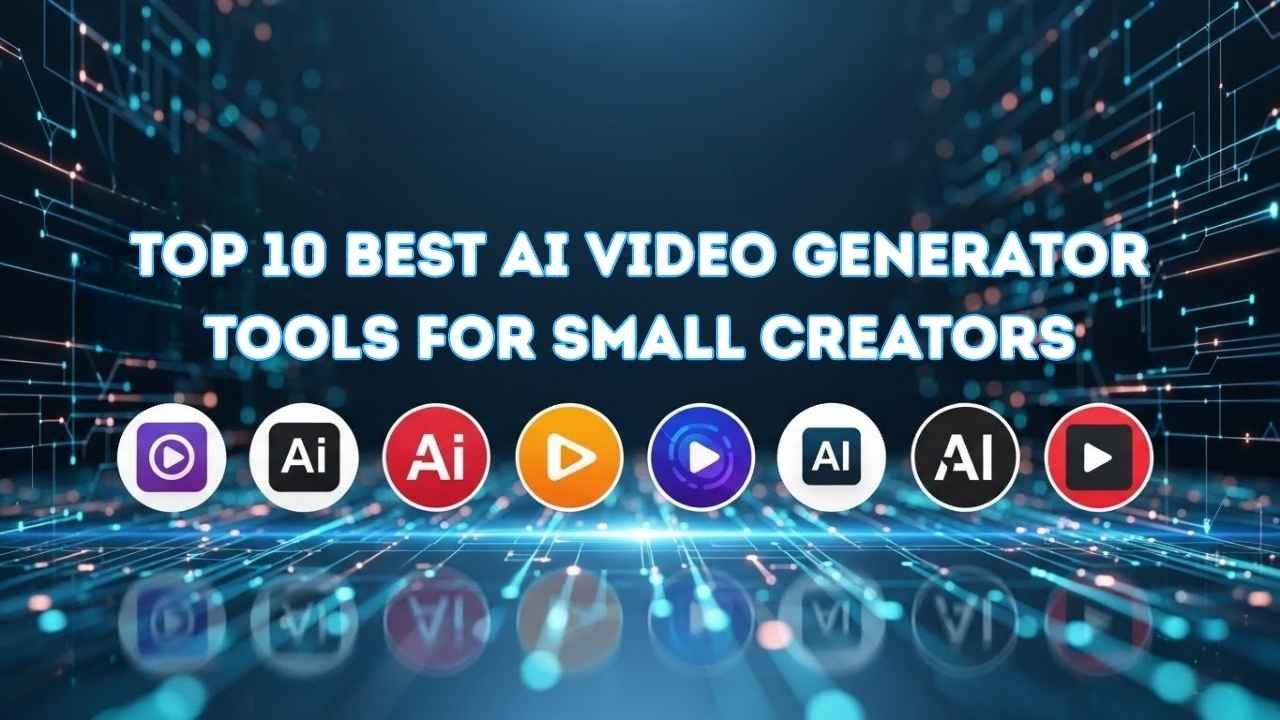
In this listicle, I will share my honest list of the Top 10 Best Video Generator Tools for Small Creators. These tools help you make videos faster, save money, and create good videos even if you work alone.
What Are AI Video Generators?
AI video generators are tools that help you make videos using a computer. You do not need a camera, actors, or editing skills. You just write text or choose options, and the tool turns it into a video for you.
These tools can create talking videos, slides, images, voice, and even full scenes. They are made to save time and make video creation easy for everyone.
How Do AI Video Generators Work?
First, you type what you want in the video, like a script or simple text. Then, the tool reads your text and understands what the video should look like.
After that, it adds images, video clips, voice, and effects by itself. Finally, it puts everything together and gives you a ready-to-use video.
You do not need to record anything. The tool does the hard work for you.
The Best Platform to Hire a Human Video Creator
If you want real people to make videos for you, the best place to find them is online. There are websites where you can hire video editors, animators, creators, and directors who know how to make great videos.
On these platforms, you can:
- see the work they have done before
- read reviews from other clients
- choose someone who fits your budget
- talk to them before you hire
These platforms make it easy to find video makers who can help you create videos faster and better when tools alone are not enough.
Some popular sites where people find video creators are:
Related Guides
If you like this list, you may also enjoy these Top articles:
Here is the list of the 10 AI Video Generator Tools for Social Media Creators
- Runway (Gen-4)
- OpenAI Sora 2
- Google Veo 3.1
- Synthesia 3.0
- Kling AI
- Luma Dream Machine
- HeyGen
- InVideo AI
- Adobe Firefly Video
- Pika
AI Video Generators Comparison Table
| Tool Name | Key Features | Free Trial | Pricing | Personal Rating |
|---|---|---|---|---|
| Runway (Gen-4) | Fast video creation, good quality, many editing tools | Yes | Medium | ⭐⭐⭐⭐ |
| OpenAI Sora 2 | Smart text to video | Yes | Medium-High | ⭐⭐⭐⭐ |
| Google Veo 3.1 | Easy automation, creative effects | Yes | Medium | ⭐⭐⭐⭐ |
| Synthesia 3.0 | Super realistic avatars, great for presentations | Yes | High | ⭐⭐⭐⭐⭐ |
| Kling AI | Focus on voice and sounds | Yes | Medium | ⭐⭐⭐⭐ |
| Luma Dream Machine | Best for creative animations and effects | Yes | Medium-High | ⭐⭐⭐⭐ |
| HeyGen | Budget-friendly, simple to use | Yes | Low-Medium | ⭐⭐⭐⭐ |
| InVideo AI | Big stock library and templates | Yes | Low-Medium | ⭐⭐⭐⭐ |
| Adobe Firefly Video | Best for graphics and effects | Yes | Medium-High | ⭐⭐⭐⭐ |
| Pika | Quick and easy basic videos | Yes | Low | ⭐⭐⭐⭐ |
1. Runway (Gen-4.5 / Gen-4)
Launched: December 1, 2025
Website: www.runwayml.com
CEO: Cristóbal Valenzuela
Language: English
Country: United States
Runway is ranked #1 because it feels like a real video tool that creators can depend on, not a one-time trick. When people want clean, cinema-style clips and they also want control, Runway is the name that shows up again and again.
What keeps it at the top is the mix of strong video quality and hands-on control. Instead of only typing a prompt and hoping for the best, you can guide the motion and shape the scene. That saves time, cuts down failed tries, and makes the final clip look more planned.
Runway also tries hard to keep things steady. Many video tools change faces, colors, or backgrounds for no reason. Runway is better at keeping the look stable from start to finish, so the video feels smoother and less random.
Best for: Cinema-style AI videos with strong control
Best use: Ads, short films, story scenes, product shots and fast testing for content ideas
My Experience:
- Runway feels like the safest starting point when you want a clip that looks clean and usable.
- The results improve a lot when you keep your prompt clear and guide the motion instead of asking for everything at once.
Runway Pros
- You get more control over what moves, so scenes look planned.
- The video quality is strong enough for serious creator work.
Runway Cons
- It can cost more if you generate a lot of clips at high settings.
- You may need a few tries to learn the best way to prompt and control motion.
2. OpenAI Sora 2
Launched: September 30, 2025
Website: www.openai.com
CEO: Sam Altman
Language: English (and widely used globally)
Country: United States
OpenAI Sora 2 is ranked #2 because it makes videos that often look more real than most other tools, and it can add sound too. A lot of people talk about it because it tries to solve the biggest problem in these tools: a video that looks good at the start, then turns weird with shaky motion, strange faces, or messy backgrounds.
OpenAI says Sora 2 can create video and sound together, which helps the final clip feel more complete. That’s why many creators like it for story scenes and product clips where the movement should feel natural. It is also built in a way that makes it easy to try, test, and share results, so it stays popular in public chats and creator groups.
Sora 2 was needed because people were tired of videos that look “fake” or fall apart halfway through. This tool is popular because it aims for smoother motion and more believable scenes, even though access and limits can differ for different users.
Best for: Real-looking videos with sound
Best use: Short story scenes, product videos, ads, and social clips
My Experience:
- When I want a clip to look more real and smooth, this is one of the first tools I think about.
- It works best when the idea is simple and clear. If you ask for too many things at once, the result can get messy.
Sora Pros
- The motion often looks more natural, so the video feels less “fake.”
- It can create sound with the video, which saves extra steps.
Sora Cons
- Not everyone gets the same access and it may depend on where
- Free use can be limited and rules can change when demand is high.
3. Google Veo 3.1
Launched: October 15, 2025
Website: www.aistudio.google.com/models/veo-3
CEO: Sundar Pichai
Language: English (and supported via Google ecosystem)
Country: United States
Google Veo 3.1 is ranked #3 because it makes short videos that look sharp, and it can also add sound like background noise, sound effects and even speech. This matters because most video tools make silent clips and silent clips feel unfinished. Veo 3.1 tries to fix that by making the video and sound together, so the result feels more “complete” right away.
Another reason people rate it so high is how easy it is to use in Google’s world. You can make videos inside Gemini, and developers can also use it through the Gemini API for apps and workflows. It is also built for the kind of content people post today: short, clean and made to share.
Best for: Short videos that come with sound
Best use: Social clips, simple story scenes, product videos, and quick marketing videos
My Experience:
- If you want a short clip that does not feel “empty,” the sound helps a lot. It feels closer to a real video.
- It works best when you keep the scene simple and describe the sound you want (like rain, traffic, crowd noise).
Veo 3.1 Pros
- It can make sound with the video, so you do not have to add audio later.
- You can use it in Gemini and also through the Gemini API, so it fits both normal users and teams.
Veo 3.1 Cons
- It is made for short videos, so it may not fit people who want long scenes.
- Access and limits can change depending on plan or region, so not everyone gets the same use level.
4. Synthesia 3.0
Launched: October 2025
Website: www.synthesia.io
CEO: Victor Riparbelli
Language: Multi-language support
Country: United Kingdom
Synthesia 3.0 is ranked #4 because it is made for work videos, not movie scenes. If you need training videos, school-style lessons, or team updates, Synthesia is one of the most trusted names people mention. It is built for businesses, so it focuses on clear speaking, clean visuals, and fast video making, without cameras or actors.
Synthesia 3.0 also pushed a big idea: videos should not be only “watch and leave.” They should be more like a lesson you can follow. That is why Synthesia 3.0 talks about things like interactive video, where the video can include parts like choices, quizzes, and branching. This is useful for companies because people learn better when they can interact, not just sit and watch.
Another reason it ranks high is how wide its language support is. Synthesia says you can create videos using 140+ languages, which helps teams who work in many countries.
Best for: Business videos with a speaking avatar
Best use: Training, onboarding, lessons, internal updates, and simple explainers
My Experience:
- If your goal is a clean training or explainer video, Synthesia feels like a safe choice because it is built for that job.
- It is easiest when you write the script like a real person speaks: short lines, simple words, clear tone.
Synthesia Pros
- Great for training and explainer videos because it is built for business use.
- Supports many languages, so you can make the same video for different countries.
Synthesia Cons
- It is not meant for movie-style action scenes, so creators who want “cinema shots” may feel limited.
- Free use is small, so serious work usually needs a paid plan.
5. Kling AI
Launched: June 2024
Website: www.klingai.com
CEO : Kuaishou
Language: Chinese + English interface options (varies by region/version)
Country: China
Kling AI is ranked #5 because it is one of the most talked-about tools for making short, eye-catching videos that look good on social media. People like it because it can turn a simple text idea into a video, and it also lets you use reference images to guide the style or the subject. Kling is made by Kuaishou, a big video company, and that helps it stay popular with creators who want fast, shareable results.
One reason Kling stands out is its multi-image reference feature. In simple words: you can upload more than one image, and Kling tries to use those images as a guide when it builds the video. This helps when you want a certain person, outfit, or look to stay close to your reference images.
Kling was needed because creators wanted more strong options besides the biggest US tools, and they wanted a tool that can produce “wow” clips that feel made for short-form platforms.
Best for: Stylish short videos that look good on social media
Best use: Trend clips, short story scenes, product visuals, and fast creative tests
My Experience:
- It is a good pick when you want a clip that looks “cool” quickly without too much setup.
- It works better when you give clear references (like images) and keep the scene simple.
Kling Pros
- Reference images help a lot when you want a specific look or style.
- Strong social-style results that many creators like to share and compare.
Kling Cons
- Because it is very popular, results can depend on limits and queues, so it may not always feel instant.
- You must be careful with fake “Kling” sites and ads—security researchers have warned about malware using fake Kling branding.
6. Luma Dream Machine
Launched: June 12, 2024
Website: www.lumalabs.ai/dream-machine
CEO: Amit Jain
Language: English
Country: United States
Luma Dream Machine is ranked #6 because it is fast and easy for people who want to test ideas quickly. It is not the tool most people pick for long movie scenes. It is the tool people pick when they want to try a lot of looks, pick the best one, and move on.
What makes it popular is how well it fits “try, change, try again” work. You can start with a simple idea, generate a short clip, then adjust the words and get a new version. This makes it great for creators who want to explore styles, camera angles, and moods without spending hours on one clip.
It is also a strong choice when you already have an image and you want to bring it to life. Many creators use it like a quick concept tool: make a few good shots first, then decide what to polish later.
Best for: Fast idea testing and short visual clips
Best use: Concept scenes, style tests, quick product shots, and social clips
My Experience:
- When I want to see many versions of the same idea quickly, this tool fits well.
- It works best when the scene is simple and you describe the camera and motion clearly (like “slow zoom” or “side pan”).
Luma Pros
- Very good for quick testing, so you can try many ideas without wasting time.
- Works well for short clips that you can use as concepts or social content.
Luma Cons
- It is usually best for short scenes, so long stories can feel harder.
- You may need a few tries to get the exact look, because small prompt changes can change the result a lot.
7. HeyGen
Launched: September 2022
Website: www.heygen.com
CEO: Joshua Xu
Language: Multi-language support
Country: United States
HeyGen is ranked #7 because it is one of the easiest tools to make talking videos where a virtual person speaks your words. Instead of filming with a camera and real people, you write what you want to say, pick a presenter, and HeyGen makes the video for you. This makes it a favorite for people who want simple speaking videos without cameras, lighting, or actors.
One thing many people like about HeyGen is how easy it is to use. You just type your script, choose how you want the presenter to speak, and the tool turns it into a video. This saves time, and it feels close to making a real person speak on screen. That is why many creators use HeyGen for marketing, product explanations, and short training videos that need a clear voice.
HeyGen was needed because many people don’t have cameras or studios, but they still need good videos with talking presenters that feel professional and clear.
Best for: Talking videos with a virtual presenter
Best use: Product explainers, company messages, social promotions, lessons with speaking
My Experience:
- It is one of the fastest ways to make a clean talking video without filming anything.
- When the script is simple and clear, the final video feels smooth and easy to watch.
HeyGen Pros
- Super easy to use just type your words and pick the presenter.
- Good for marketing and social videos because the voice and visuals look clean.
HeyGen Cons
- Not meant for action scenes or long movie-style videos.
- Free use is limited and most serious work will need a paid plan.
8. InVideo AI
Launched: October 2023 (AI-focused updates in 2025)
Website: www.invideo.io
CEO: Sanket Shah
Language: English (plus multi-language)
Country: United States
InVideo AI is ranked #8 because it is one of the easiest tools to turn your ideas or scripts into ready-to-share videos. Instead of starting with a blank screen, InVideo gives you templates and themes that help you build a video fast, even if you don’t know much about video editing. This makes it a strong choice for people who want quick, clean results without too many steps.
InVideo AI works like this: you tell it what you want (like a script or a short text), and it builds a full video around that idea. It also gives you ready-made parts like titles, shapes, and transitions that make the video look complete. Many small businesses and creators like this because they can make promo videos, ads, and social posts quickly without spending hours editing.
InVideo AI was needed because most people do not want to spend a long time learning complex video tools. It helps make the process simple and gives videos that look finished and professional enough for social media and business use.
Best for: Turning ideas or scripts into finished videos
Best use: Promo videos, ads, social posts, simple list videos
My Experience:
- It works best when you start with a clear script.
- Using the templates makes it fast to go from idea to finished clip.
InVideo Pros
- Easy to use templates that make videos look clean with very little effort.
- Fast results, so you can publish video content quickly.
InVideo Cons
- Not built for big cinema-style scenes, so it is best for short videos.
- Free plan limits exports and features, so serious work will usually need a paid plan.
9. Adobe Firefly Video
Launched: February 2025
Website: www.adobe.com
CEO: Shantanu Narayen
Language: Multi-language support
Country: United States
Adobe Firefly Video is ranked #9 because it lets you make video content that connects well with other Adobe tools people already use, like Premiere Pro and Photoshop. Instead of being just a standalone video maker, it fits into the tools many creators and teams already rely on, so it becomes easier to work with other parts of a project without switching apps.
Firefly Video was needed because teams and companies want safe and reliable video creation that they can use for real work. Adobe focuses on keeping the results clear of copyright problems and linked to licensed content, which matters a lot for businesses and creators who don’t want to worry about legal issues. Many creators also like that they can start in Firefly Video and then finish editing inside Adobe’s main video tools.
Another reason it ranks here is that Adobe has a big footprint in creative fields, and many people already know the name. Firefly Video builds on that trust by offering tools that help produce finished clips that are ready to share or publish.
Best for: Video creation that works well with other Adobe tools
Best use: Branded campaigns, social clips, business videos, and polished visuals
My Experience:
- It feels natural if you already use Adobe products, because the workflow matches what you’re used to.
- When you link it to tools like Premiere Pro, the final video looks more polished.
Adobe Firefly Video Pros
- Works well with other Adobe tools, making it easier to polish and refine videos.
- Strong safety focus, with training and content that is based on licensed material.
Adobe Firefly Video Cons
- Not always the fastest tool for simple clips compared to other options.
- Features may feel limited compared to pure video makers that focus only on making new videos.
10. Pika
Launched: April 2023
Website: www.pika.art
CEO: Demi Guo
Language: English
Country: United States
Pika is ranked #10 because it is a tool many creators use for fun, short, and expressive videos that feel lively and engaging. Instead of focusing only on super-realistic movie scenes, Pika shines when you want short clips that catch attention quickly on social media platforms like TikTok, Instagram, and YouTube Shorts.
Pika makes it easy to turn a simple idea into a visual scene by using sound and motion together. Many people enjoy how fast it is to try different looks, and how the results often feel playful and creative. This makes Pika a good choice when you want eye-catching clips that look interesting without spending too much time editing.
Pika was needed because not every creator wants serious or dramatic videos. Some people want fun, quick, and shareable clips that help them tell a short story or show a quick idea in a way that grabs attention.
Best for: Fun and expressive short videos
Best use: Social clips, mood visuals, short stories, and creative ideas for feeds
My Experience:
- It feels great for testing ideas fast without a long setup.
- The sound and motion mix makes the result feel more lively.
Pika Pros
- Fast and fun creation for short, attention-grabbing clips.
- Good sound and motion mix that makes clips feel more complete.
Pika Cons
- Not ideal for long or serious scenes, like full stories or ads.
- Results can be unpredictable if the prompt is too complex.
Which Video Generator Is Best for You?
There is no one single video tool that is best for everyone. The best tool depends on what you need and what your goals are. Here is how you can choose the right one:
1. If You Are a Beginner
Choose a tool that is easy to use and does not need complicated settings.
These tools let you make videos quickly with simple steps.
2. If You Want Talking Videos
Pick a tool that can turn text into speaking video.
This is good if you want people talking in your video without recording your voice.
3. If You Want Custom Images or Scenes
Choose a tool that can create unique pictures, background scenes, or animations.
This helps your videos stand out and look creative.
4. If You Want Fast Videos
Some tools make videos in a few minutes.
If you need content every day, pick a tool that works very fast.
5. If You Want Full Editing Features
Some tools give you more control over the clips, style, and sound.
These are good if you want your videos to look professional.
My Verdict: What Is the Best Video Generator?
After trying many video tools, I can say this clearly:
Best Video Generator for YouTube Videos
Perfect for stock clips and ready-made templates
InVideo AI is great for YouTubers who want professional-looking videos fast. It has a big library of stock videos, ready-to-use templates, and simple editing tools. It also helps with writing scripts, saving time and effort.
Best Video Generator for Creating Video Avatars
Most realistic talking characters
Synthesia 3.0 is the best for making talking avatars. The characters move their lips naturally and look professional. It works perfectly for business presentations, explainer videos, or training content.
Best Budget-Friendly Video Generator
Offers free trials and affordable plans
HeyGen is a good choice if you want a tool that is cheap but still powerful. You can try it for free, and it works well for storytelling or making small AI-powered videos without spending much.
What Changed for AI Video Generators in 2026?
1. Videos Look Much More Real
AI video tools now create videos that look a lot more real like real recorded footage. The images, lighting, movement, and even physics (how things move) are more natural than before. This makes the videos hard to tell apart from real filmed content.
2. Faster and Longer Videos
Before, many tools could only make very short clips. Now, AI can create longer videos with smoother scenes that stay connected from start to end. This means you can use these tools not just for short clips but for longer stories and content too.
3. Better Control and Creativity
AI tools now let creators control things like camera movement, lighting, and style much better. You can guide exactly how the video should look and animate things more precisely.
4. More Ways to Make Videos
AI video tools are not just about typing text anymore. Many tools let you use images, videos, or other files as starting points, giving you more options for creative content.
5. Bigger and More Useful Features
In 2026, major platforms like Sora added new features such as reusable characters and the ability to combine clips into longer sequences. These changes make it easier to build complex videos step by step.
6. 4K and Professional Quality
AI video generators now often output in high quality (like 4K) which used to be a feature only found in real cameras and expensive editing. This means creators can make videos that look professional, straight out of the tool.
Why You Cannot Ignore AI Video Generators in 2026
Here is why AI video generators are a must-pay-attention technology in 2026
1. AI Video Tools Save You a Lot of Time
Before, making videos took hours or days planning, shooting, editing, and fixing problems. With AI video generators, you can make videos in minutes. This lets you create more videos faster.
2. They Do Not Need Expensive Equipment
In the past, you needed cameras, lights, mics, and editing software to make good videos. AI tools let you create videos without all that gear. All you need is a computer and your ideas.
3. Anyone Can Use Them (Even Beginners)
You do not have to be an expert to start making good videos. AI video generators are easy to use. You just type what you want and the tool helps you make the video.
4. Videos Look Much Better Than Before
AI now makes videos that look more real, creative, and smooth than older tools. The characters, voices, and scenes look more natural and professional.
5. Content Is King And Videos Are Everywhere
People watch videos on YouTube, TikTok, Instagram, and LinkedIn more than text or pictures. If you want people to notice your work, videos are one of the best ways to get views, followers, and jobs.
6. AI Helps You Compete With Big Creators
Big companies and creators have big teams and big budgets. With AI video tools, small creators can make videos just as good without spending a lot of money. This levels the playing field.
7. AI Tools Are Improving Every Day
In 2026, these tools are getting better very fast. They keep adding new features like realistic avatars, voice options, templates, and long videos. If you ignore them now, you might fall behind others who are learning and using these tools every day.
If you want to learn more about how AI writing tools create content, this in-depth article explains how they work and compares the best options available.
FAQs (Frequently Asked Questions)
It is a tool that can make a video for you using text, images, or a short idea. You describe the scene, and the tool creates a short clip based on what you asked for.
If you want videos that look closest to real camera footage, Sora 2 and Google Veo 3.1 are often mentioned for realism and smooth motion. Your results will still depend on the prompt and the scene.
For talking presenter videos (training, onboarding, explainers), Synthesia and HeyGen are usually the best picks because they are made for speaking-avatar style videos.
Not really. Most of these tools are designed for beginners. You just need to write a clear prompt and do a few tries. If you already know basic editing, you can make the final result look even better.
Yes, but you should always check the tool’s usage rules and your local copyright rules. If you are doing client work, pick tools that focus on safe commercial use and always keep proof of where the content came from.
If your goal is fast short clips for TikTok, Reels, or Shorts, Pika, Kling, and Luma Dream Machine are popular choices for quick, shareable results.
Free plans are good for testing and small projects, but they usually have limits like watermarks, fewer exports, or fewer seconds. If you are making videos every day, a paid plan is usually worth it.