
Automation is not only for developers anymore. Now, normal people and teams can set up simple systems that do the same repeated work for them, without writing code. These tools help you save time, avoid mistakes and keep your work in order.
Some tools help you handle emails and follow-ups. Some help you manage documents and repeat office tasks. Others connect your apps, move data and keep everything synced. Each tool is made for a slightly different kind of work, so the right choice depends on what you need.
This Top 10 list is based on what people use most, what is talked about the most, and what seems to work well in real daily work. It is not about fancy words or hype. It is about tools that make work easier.
If you run a business, manage a team, or just want to stop doing the same task again and again, this guide will help you pick a tool that fits your work style.
What is an AI Automation Tool?
An AI automation tool is basically a “smart” computer program that can do tasks for you without you having to tell it every single step.
Why Need AI Automation Tools?
Automation tools help speed up work, reduce manual effort, and make tasks more accurate and efficient.
Here’s how they help:
- They can handle routine tasks automatically, so you don’t have to do everything by hand, leaving you more time to focus on other important things.
- In areas like software work, testing, data study, or project planning, these tools can go through large amounts of information quickly. They can find patterns and important details that people might miss, helping you make better predictions and plan for risks.
- These tools can grow with your needs without needing more staff. They keep work consistent, reliable, and organized as your projects get bigger.
Here is the list of the 10 AI Automation Tools for Creators, Freelancers, and Content Makers.
- Vellum AI
- Akkio
- Gumloop
- Lindy AI
- Stack AI
- Zapier
- Make
- Kissflow
- Microsoft Power Automate
- n8n
AI Automation Tools Comparison Table
| Tool Name | Best For | Key Smart Feature | Paid or Free? |
|---|---|---|---|
| Vellum AI | Building smart workflows that repeat without coding | Makes step-by-step helpers that can run work automatically | Free plan + Paid plans |
| Akkio | Turning business data into easy answers | Predicts trends and scores leads without coding | Free trial + Paid plans |
| Gumloop | Connecting steps for repeated tasks | Drag-and-drop workflow builder that includes smart steps | Free plan + Paid plans |
| Lindy | Giving routine email and scheduling tasks to a helper | Lets you assign everyday work and get it done for you | Free plan + Paid credits |
| Stack AI | Structured team workflows and document tasks | Builds controlled flows for internal work | Free plan + Paid plans |
| Zapier | Connecting apps quickly with simple steps | Automates simple triggers and actions between apps | Free plan + Paid plans |
| Make | Detailed, multi-step automation | Visual layout for many connected steps | Free plan + Paid plans |
| Kissflow | Team approval processes and work tracking | Organizes forms, approvals, and team steps | Paid (may have trial) |
| Microsoft Power Automate | Office automation with Microsoft tools | Works with Outlook, Teams, SharePoint, Excel | Free trial + Paid plans |
| n8n | Custom, flexible automation with control | Lets you design and host your own workflows | Free plan (self-host) + Paid hosted options |
AI Automation Tools Every Creator Should Know
1: Vellum AI
Launched: July 15, 2023.
Website: www.vellum.ai
CEO: Akash Sharma
Primary Language: English
Country: United States

Vellum AI sits at #1 because it helps you build smart, repeatable workflows that a team can actually rely on, not something you set up once and then forget. When people want a clear way to turn the same daily tasks into a simple “do this, then that” system, Vellum AI is a name that comes up often.
What pushes it to the top is how it helps you organize the steps and improve them over time. Instead of running your process in messy notes or scattered tools, you can build one clean flow and keep it consistent. That saves time, cuts mistakes and helps everyone follow the same method.
Vellum AI also focuses on keeping your workflow stable. Many “smart helper” tools can feel random, where results change too much from one run to the next. Vellum AI is better for building a steady setup you can test, adjust and run again with fewer surprises.
Best use: Customer support replies, content checklists, lead handling, simple research steps and repeat tasks for teams
My Experience:
Vellum AI feels like the best pick when you want a process you can run again and again in a clean way.
AI Automation Tools for Freelancers
2: Akkio
Launched: May 2019.
Website: www.akkio.com
CEO: Abe Parangi (Co-CEO), Jon Reilly (Co-CEO)
Primary Language: English
Country: United States
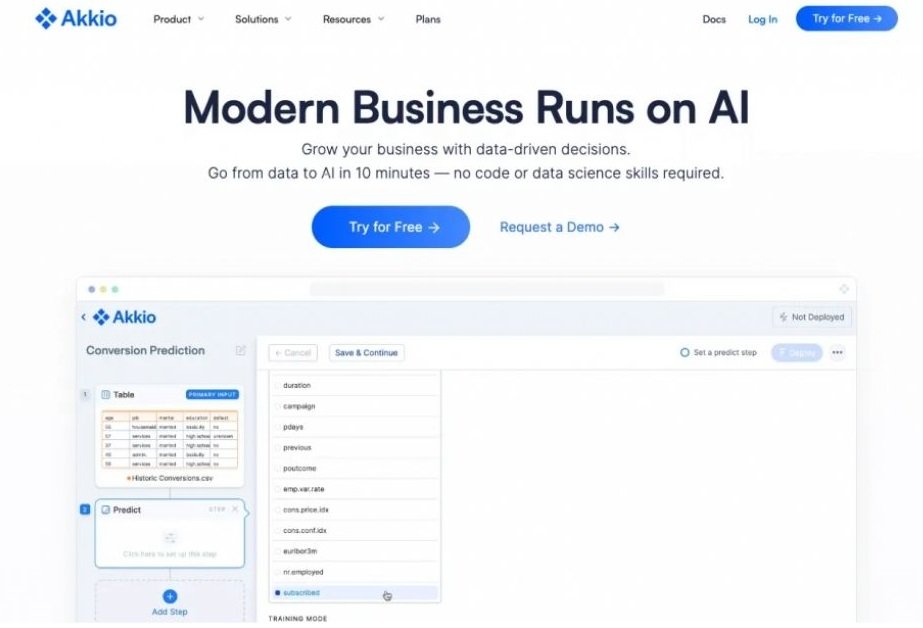
Akkio sits at #2 because it helps everyday teams get clear answers from their data, without turning it into a big technical project. When people want to understand what is likely to happen next, like which leads may convert or which customers may leave, Akkio is a tool that gets mentioned often.
What pushes it into this spot is the way it turns messy numbers into something you can actually use. Instead of staring at spreadsheets and guessing, you can upload your data and get a simple outcome you can act on. That saves hours and helps you make decisions with more confidence.
Akkio also keeps things business-friendly. Some tools make data work feel heavy and confusing, but Akkio is built to stay direct and practical. It is a solid fit for teams that need quick insights they can explain to a manager or a client.
Best use: Sales forecasting, lead scoring, customer churn checks, campaign performance tracking, revenue planning, simple planning reports
My Experience:
If I had a spreadsheet full of leads and I needed a quick way to decide who to call first, this is the kind of tool I would open.
3: Gumloop
Launched: April 2023
Website: www.gumloop.com
CEO: Max Brodeur-Urbas (Co-founder)
Primary Language: English
Country: Canada / United States
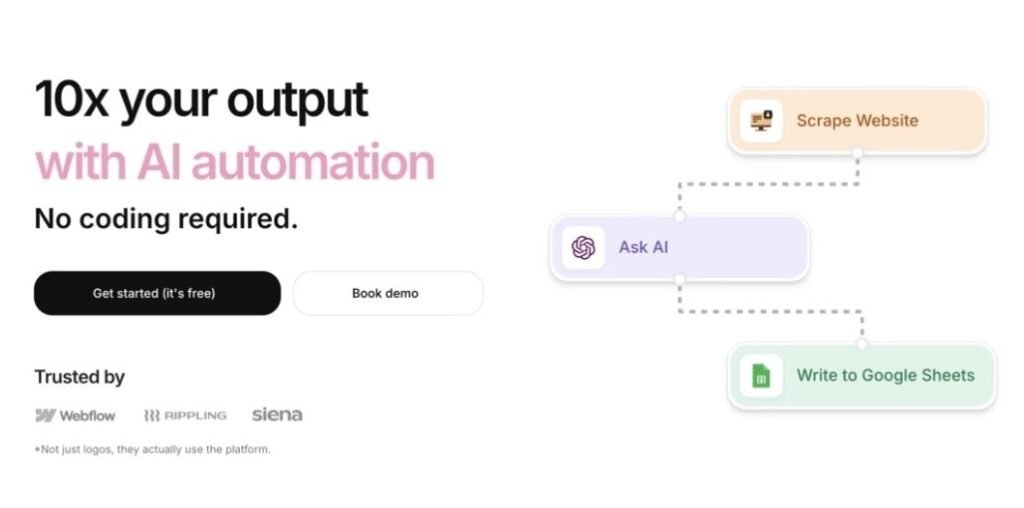
Gumloop sits at #3 because it makes automation feel modern and easy, especially for tasks that involve content and repeated team work. When people want to connect tools, set up steps, and get work done faster without building a whole system, Gumloop is one of the newer names that keeps popping up.
What pushes it into this spot is the drag-and-drop style building. Instead of writing code or dealing with confusing setups, you place steps in a simple flow and connect them like blocks. That makes it faster to test ideas, fix mistakes, and improve your process without breaking everything.
Gumloop also fits real work well. Many automation tools handle basic triggers, but Gumloop is often used for workflows like collecting info, cleaning it, creating drafts, and sending results to the right place. It feels more like a clean work pipeline, not just a simple “if this then that” rule.
Best use: Content drafting steps, research collection, lead enrichment, internal request handling, summary workflows, task routing between tools
My Experience:
Gumloop feels like a good pick when you want to build a workflow fast and see results without overthinking the setup.
AI Automation Tools for Content Creators
4: Lindy AI
Launched: 2023
Website: www.lindy.ai
CEO: Florent Crivello
Primary Language: English
Country: United States
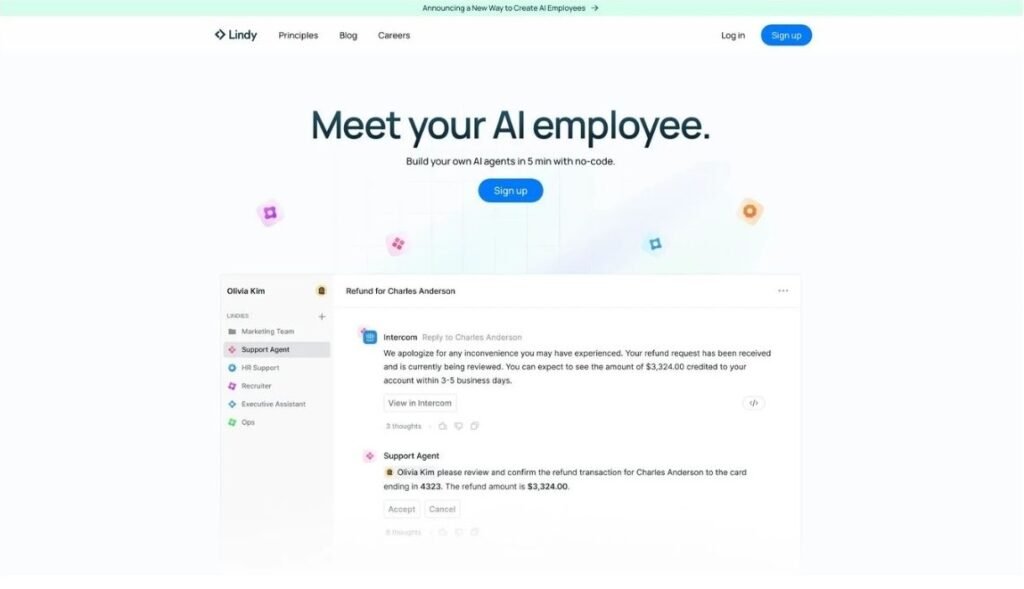
Lindy sits at #4 because it feels less like a tool and more like a helper that works for you in the background. When people want routine work handled without building long workflows, Lindy is often the option they look at.
What places it here is the way it handles everyday tasks. Instead of setting up many steps, you tell it what kind of work you want done and it follows through. This makes it useful for things like handling emails, setting meetings, or keeping track of simple follow-ups, all without much setup.
Lindy also keeps things easy to manage. Some tools give you lots of control but also a lot of complexity. Lindy focuses on doing common tasks well and staying out of your way. That makes it a good fit for busy people who want help, not another system to manage.
Best use: Email handling, meeting scheduling, lead follow-ups, admin tasks, reminders, simple team coordination
My Experience:
Lindy feels helpful when you want to hand off small but time-consuming tasks.
5: Stack AI
Launched: 2023
Website: www.stack-ai.io
CEO: Bernard Aceituno
Primary Language: English
Country: United States

Stack AI sits at #5 because it is built for teams that want their automated work to stay organized and controlled. When companies need a clean setup for handling documents, internal tools, and repeat processes, Stack AI is often part of the conversation.
What places it in this spot is how structured it feels. Instead of loose, one-off actions, you build a clear flow that follows rules and stays consistent. This helps reduce confusion and keeps results more predictable, which is important when many people rely on the same process.
Stack AI also fits well in serious work settings. Some tools are great for quick tasks, but Stack AI is often used where data, files, and internal systems need to stay in order. It feels more like a work platform than a quick automation trick.
Best use: Document handling, internal team tools, knowledge workflows, file-based processes, repeat business tasks, controlled automation
My Experience:
Stack AI feels like a steady option when you need structure and less guesswork.
AI Automation Tools for Social Media Tasks
6: Zapier
Launched: 2012
Website: www.zapier.com
CEO: Wade Foster
Primary Language: English
Country: United States
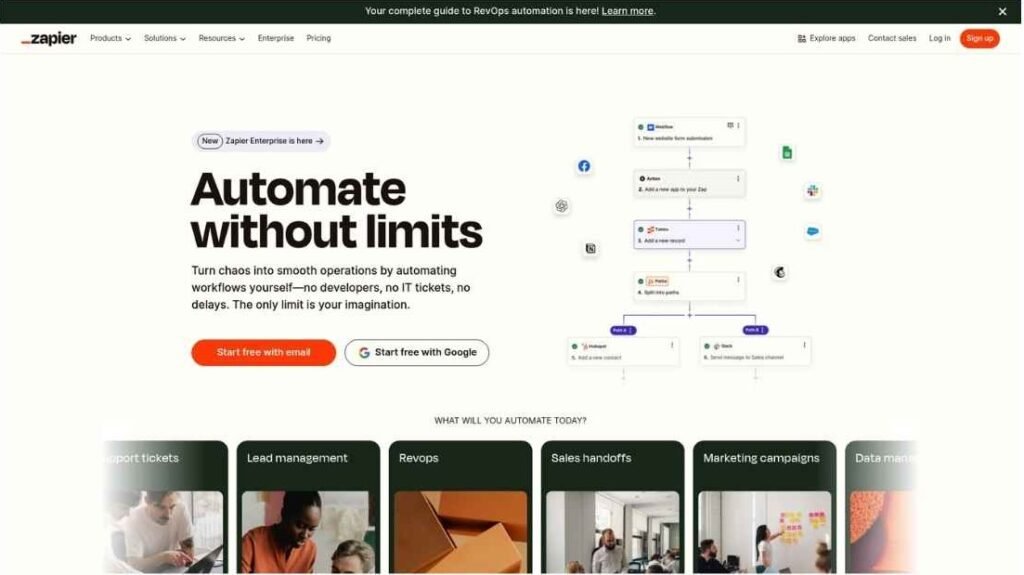
Zapier sits at #6 because it is the most familiar name for simple automation, and many people start here for a reason. When someone wants to connect two apps fast, like a form and a spreadsheet, Zapier is usually the first tool they hear about.
What keeps it strong is how easy it is to set up. You pick a trigger, choose an action, and the workflow starts running with very little effort. That saves time right away, especially for small businesses and solo users who do not want a complicated system.
Zapier also has a huge list of app connections, so it works for many common tools people already use. It may not feel as “modern” as newer smart workflow tools, but it wins on reliability and simplicity. For everyday automation, it still does the job very well.
Best use: Moving leads to a CRM, sending alerts, syncing spreadsheets, saving email attachments, posting updates to Slack, creating tasks automatically
My Experience:
Zapier feels like the safest choice when you want something working quickly and you do not want to troubleshoot a lot.
7: Make (formerly Integromat)
Launched: 2012
Website: www.make.com
CEO: Not publicly listed
Primary Language: English
Country: Czech Republic
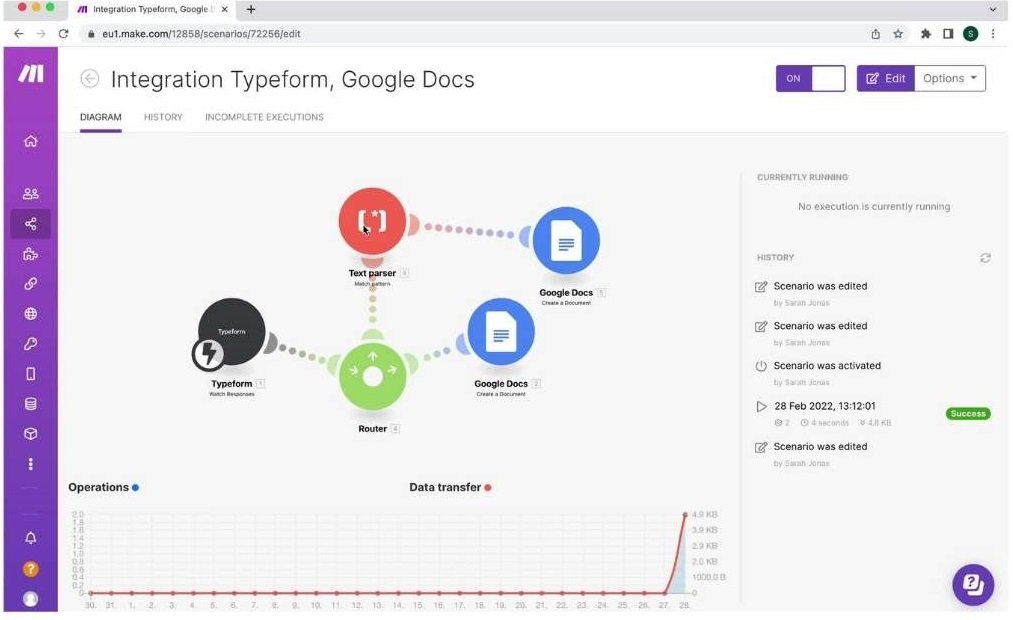
Make sits at #7 because it gives more control than most basic automation tools, while still avoiding coding. When people outgrow simple one-step automations and want more detailed workflows, Make is often the next tool they try.
What places it here is its visual setup. You can see every step of your workflow laid out clearly, which helps you understand how data moves from one tool to another. This makes it easier to add conditions, split paths, and handle different cases without guessing what will happen.
Make also works well for larger and more complex processes. While it can feel a bit heavy for very simple tasks, it shines when you need many steps working together. It is often chosen by users who like control and do not mind spending extra time setting things up properly.
Best use: Multi-step workflows, data routing, advanced app connections, handling different conditions, large automation scenarios
My Experience:
Make feels powerful once you understand how everything connects.
8: Kissflow
Launched: 2003
Website: www.kissflow.com
CEO: Suresh Sambandam
Primary Language: English
Country: India
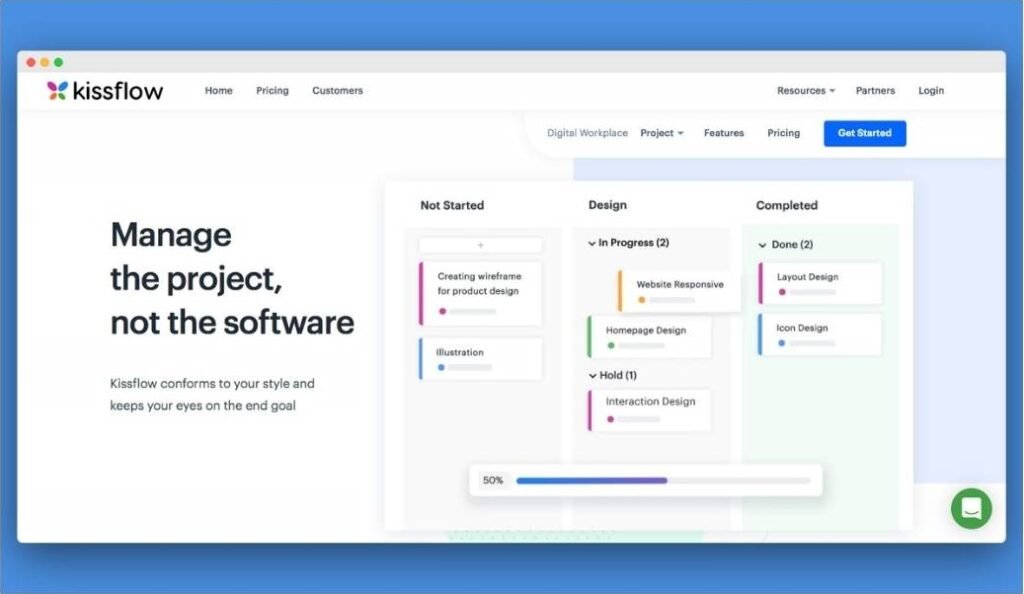
Kissflow sits at #8 because it focuses more on structured work than quick automation tricks. When teams need clear steps, approvals, and responsibility for each task, Kissflow is often the tool they look at.
What places it here is its strength in process-based work. Instead of just moving data between apps, Kissflow helps teams follow a defined flow, like requesting approval, reviewing details, and completing a task in order. This makes it useful in work areas where rules and checks matter.
Kissflow also fits well in team environments. It is often used by HR, finance, and operations teams that need everyone to follow the same process. It may not be the fastest tool to set up, but it helps keep work organized and traceable.
Best use: Approval workflows, internal request forms, HR processes, finance checks, operations tracking, team task flows
My Experience:
Kissflow feels like a good fit when work needs structure and clarity.
AI Automation Tools for Email & Task Automation
9: Microsoft Power Automate
Launched: 2016
Website: www.microsoft.com/power-automate
CEO (Microsoft): Satya Nadella
Primary Language: English
Country: United States
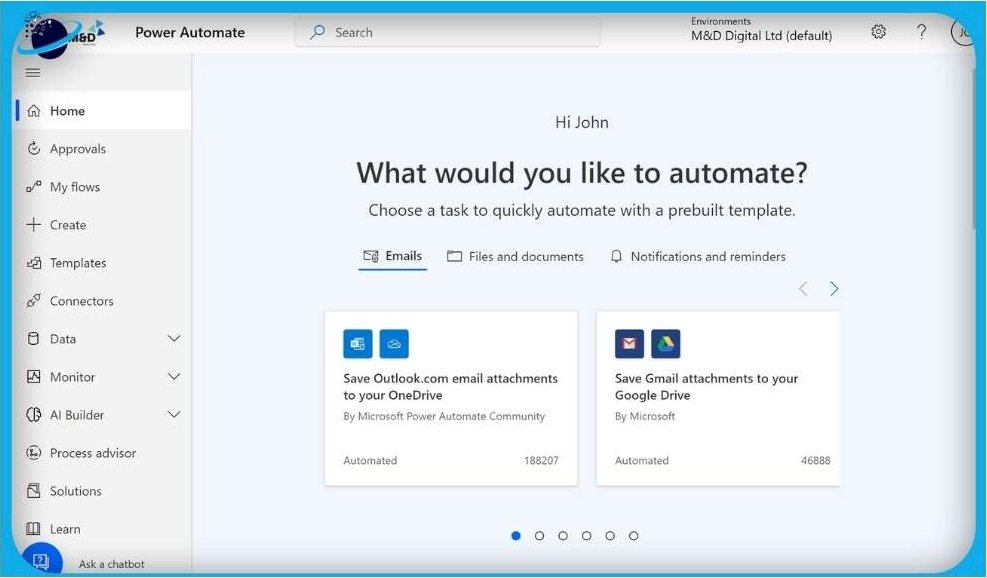
Microsoft Power Automate sits at #9 because it is mainly built for workplaces that already use Microsoft tools every day. When a team lives inside Outlook, Excel, Teams, and SharePoint, this tool often becomes the default choice.
What places it here is its strong connection with the Microsoft system. You can set up flows for approvals, alerts, file handling, and scheduled tasks that fit neatly into daily office work. This makes it useful for companies that care about control, rules, and security.
Power Automate is powerful, but it can feel heavy for small or mixed-tool teams. It works best when everything is already inside Microsoft’s world. For others, it may feel more complex than needed for simple tasks.
Best use: Approval flows, email alerts, SharePoint file handling, Teams notifications, scheduled office tasks, internal system automation
My Experience:
Power Automate feels solid in a Microsoft-based office setup.
10: n8n
Launched: 2019
Website: www.n8n.io
CEO: Jan Oberhauser
Primary Language: English
Country: Germany
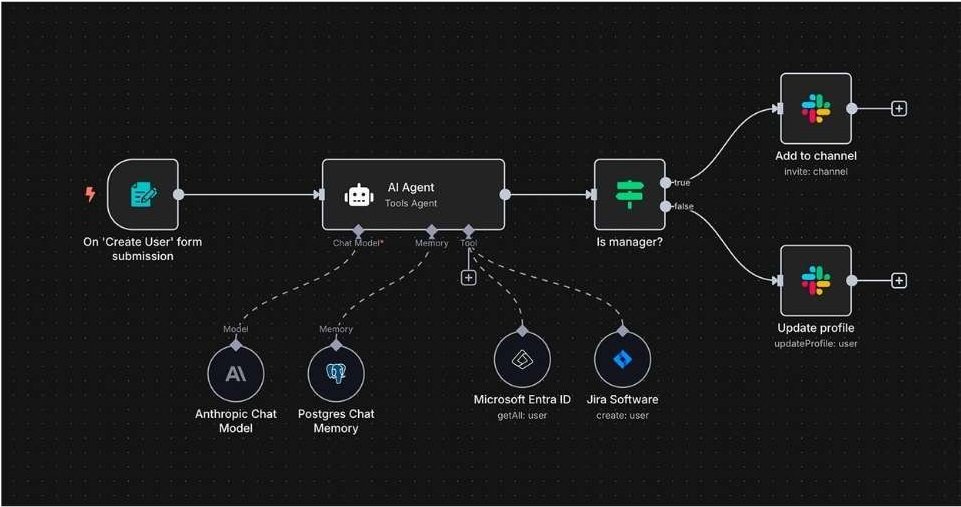
n8n sits at #10 because it offers freedom and control, but it expects you to understand a bit more than basic tools. When teams want to build their own automation setup instead of relying fully on a hosted service, n8n is often the option they explore.
What places it here is its flexible nature. You can design workflows in a visual way, but you also have the choice to customize things deeply. This makes it useful for teams that care about privacy, control, and owning their setup, rather than clicking through ready-made templates.
n8n works well for people who like to shape things their own way. It may take more effort at the start, but once set up, it can handle complex tasks reliably. That is why it is popular with technical teams and growing businesses.
Best use: Custom workflows, self-hosted automation, data handling, connecting many services, privacy-focused setups, advanced task flows
My Experience:
n8n feels like a good choice when you want control instead of convenience.
How to Choose the Best AI Automation Tool for Your Business
Here are some important factors that help you choose the best fit.
1) Start with one clear problem
Pick one task you want to fix first, like lead follow-ups, reporting, or approvals. The best tool is the one that solves your biggest daily headache.
2) Check if it connects with your apps
Make sure it works with the tools you already use, like Gmail, Google Sheets, Slack, your CRM, or Microsoft 365. If it does not connect, it will create more work.
3) Keep it easy for your team
If your team cannot understand it, it will not get used. Choose a tool with a clean builder and simple setup.
4) Look for steady results
A good automation tool should run smoothly and not break often. Stability matters more than fancy features.
5) Choose the right level of control
Some tools are simple and quick, others give deeper control. If you need complex steps and logic, pick a tool that supports that.
6) Test the free plan or trial first
Always test before paying. Build one real workflow and see if it saves time and works the way you want.
7) Think about growth
Pick a tool that can handle more workflows later, so you do not have to switch tools when your business grows.
Business Benefits of Using AI Automation Tools
Here are some real benefits businesses get from using ai automation tools.
1) Saves time every day
Automation handles repeat tasks for you, so your team spends less time on copying, pasting, and sending the same messages again and again.
2) Reduces mistakes
People make errors when they are busy or tired. Automated steps follow the same rules each time, so fewer things get missed.
3) Faster replies and faster work
Leads, customer requests, and internal tasks move quicker when the system does the next step right away.
4) Helps small teams do more
A small team can run like a bigger team because routine work is handled automatically.
5) Keeps work organized
Tasks can be sent to the right person, saved in the right tool, and tracked properly, without chaos.
6) Better customer experience
Customers get quicker updates, faster support replies, and smoother service because things do not get stuck.
7) Makes reporting easier
Many tools can collect data and send simple reports, so you can see what is working without manual tracking.
8) Helps you scale without stress
As your business grows, work increases. Automation helps you handle more customers and more tasks without hiring too fast.
The Future of AI Automation: What to Expect
Automation tools are getting smarter and easier, and more businesses will use them every year. Here are some changes you can expect next.
1) More “helpers” that do full tasks
Instead of running one small step, tools will handle full jobs, like booking meetings, replying to basic emails, and updating records.
2) Easier setup with plain language
You will be able to type what you want in simple words, and the tool will build the workflow for you.
3) Better accuracy and fewer random results
Tools will improve at staying consistent, so workflows do not change results for no reason.
4) Stronger privacy and safety controls
More platforms will add better access rules, logging, and safe handling of business data.
5) Automation inside every app
Many apps will include built-in automation, so you will not always need a separate tool for basic workflows.
6) More focus on real business results
People will care less about fancy demos and more about saving time, reducing mistakes, and improving customer experience.
FAQs (Frequently Asked Questions)
No-code automation means you can make tasks run automatically without writing code. You use simple steps, buttons, and visual blocks to connect apps and create workflows.
No. Most of these tools are made for non-technical users. If you can use Google Sheets, email, and basic apps, you can use no-code automation tools too.
Zapier is usually the easiest for beginners because it is simple to set up and has many ready-made connections. If you want more control later, Make is a common next step.
Zapier is easier and faster for simple workflows. Make gives more control for complex workflows, like branching paths, filters, and detailed data handling.
Choose n8n if you want more control, stronger privacy, or self-hosting on your own server. It is great for custom workflows, but it may take more setup time.
Many do. Several tools offer a free plan or free trial, but limits can apply, like monthly runs, tasks, or credits. Always check pricing pages before scaling.
Start with your goal. If you want simple app connections, pick Zapier. If you want complex workflows, pick Make. If you want office automation, pick Power Automate. If you want control and self-hosting, pick n8n.